Navigating Knowledge 🔍
Knowledge
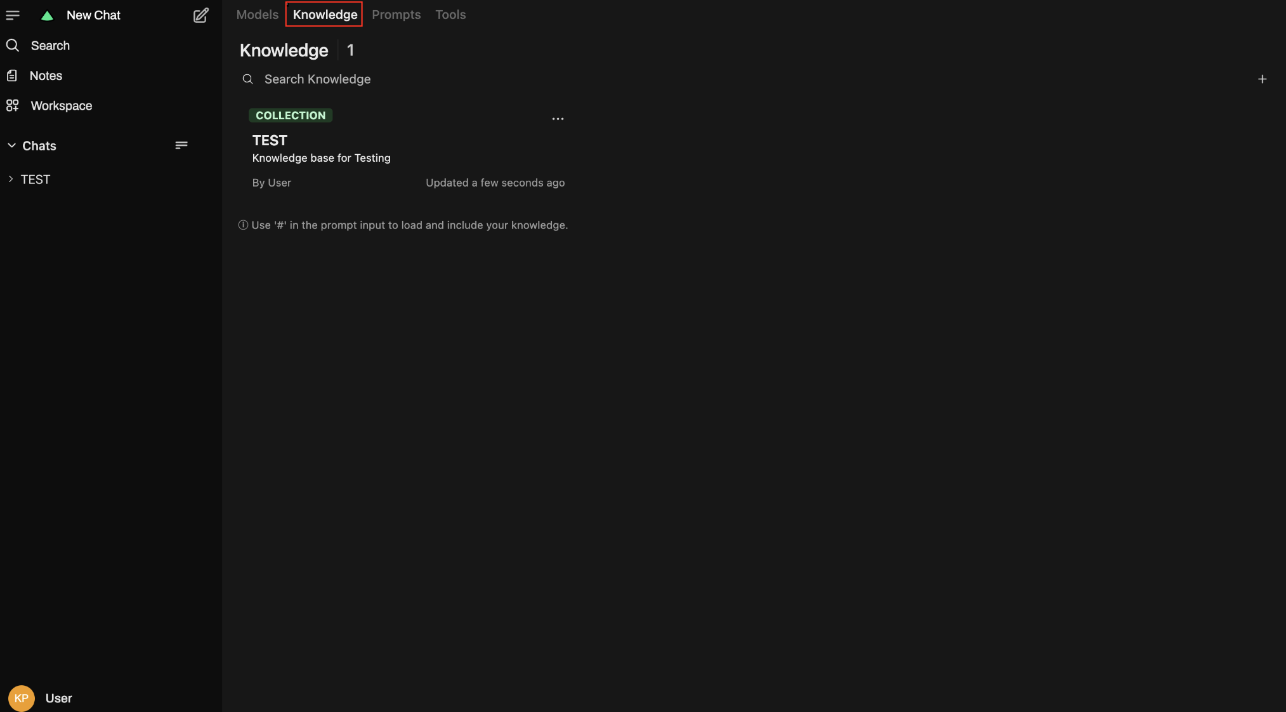
Section titled “Knowledge”- Select Knowledge from the bar
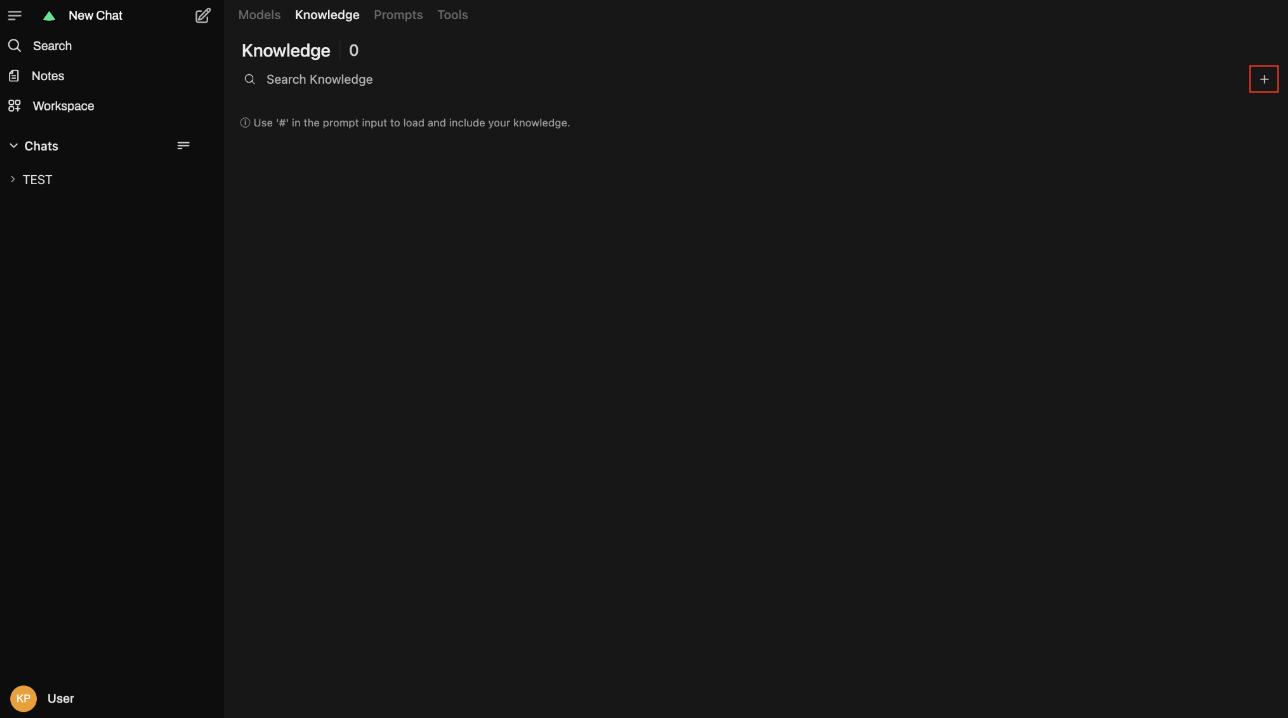
- Click the + icon to add documents to a specific model. This helps the AI answer questions related to course details like deadlines, exams, and schedules.
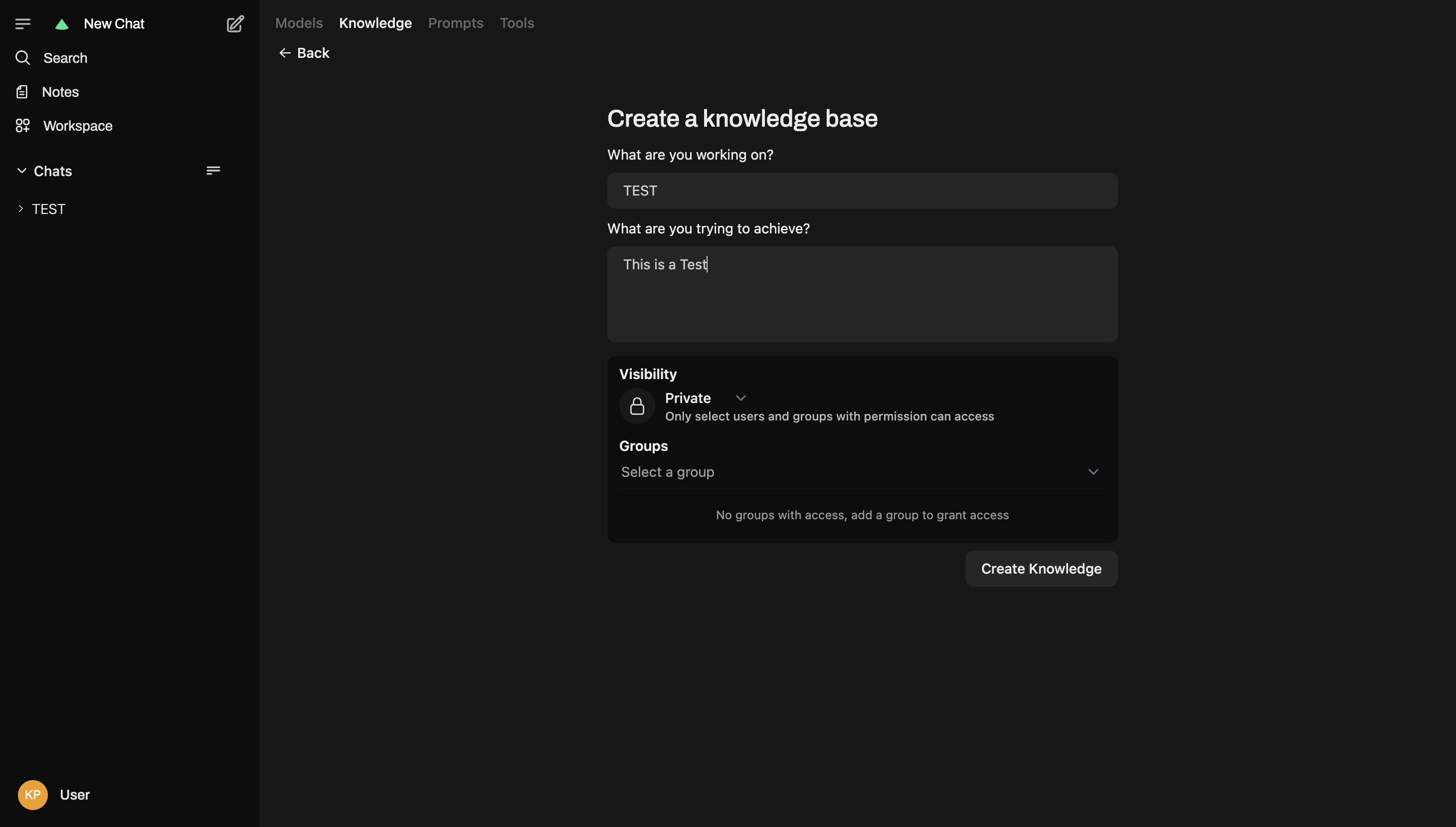
- Add a title for the knowledge base, provide a description of its contents, and set the permission access to either public (available to everyone) or private (restricted to specific groups). Then Click Create Knowledge.
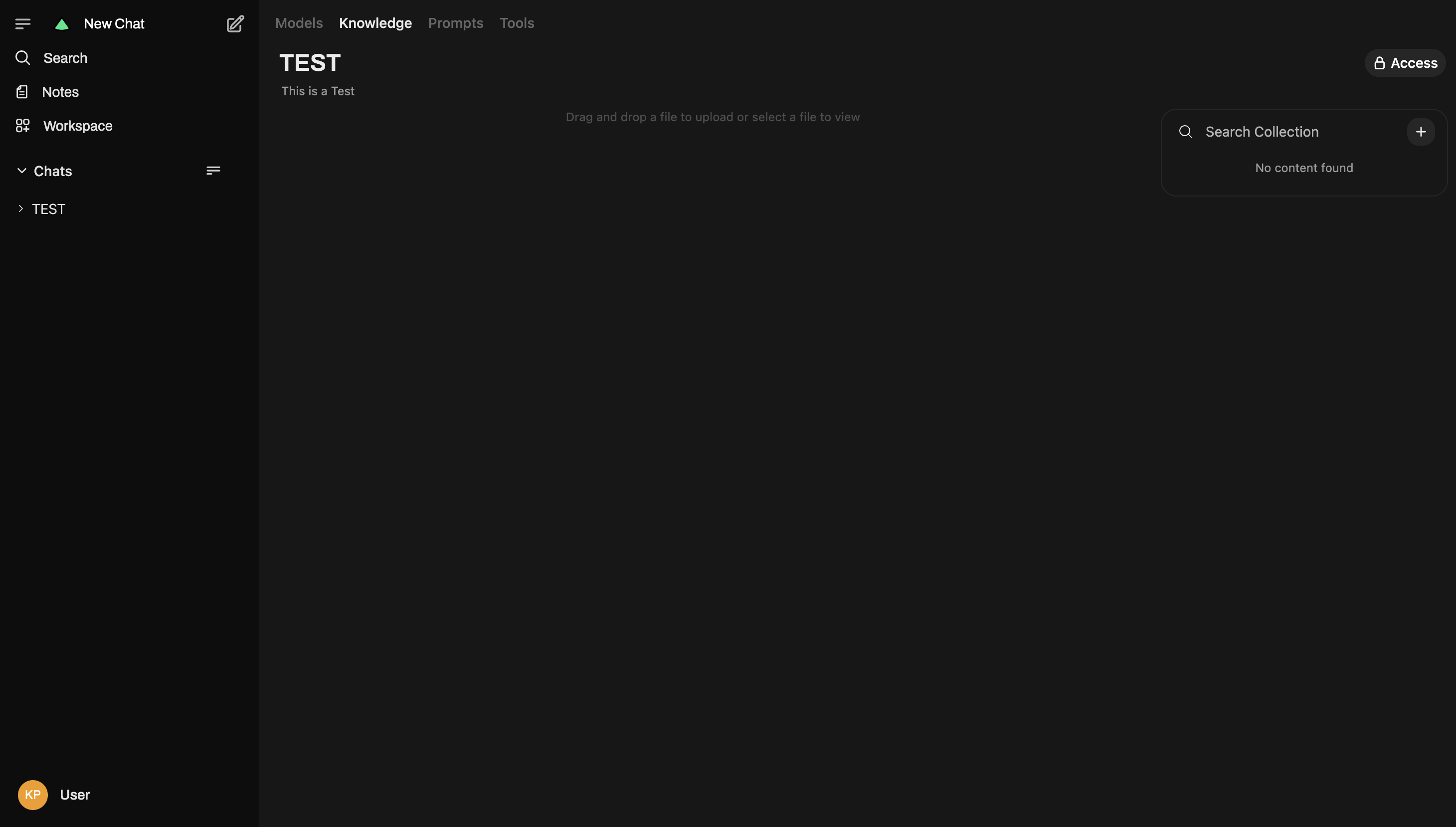
- Add files by dragging and dropping to give the AI knowledge about your course content so it can respond accurately to specific questions. For example, upload your syllabus so the AI can answer questions about assignment deadlines, grading policies, and course requirements.